How to Organize Sermon Notes
A shoebox of sermon notes is only useful if you can find the one you want. Learning how to organize sermon notes is about building a system light enough that you will keep it up, and searchable enough that a message from last year is a few taps away. This guide covers the systems that work, the ones that quietly fail, and how to make organizing mostly automatic.
Why most note systems fall apart
The usual failure is not a lack of effort, it is friction. A folder structure that takes thought to maintain gets abandoned by March. Notes spread across a paper journal, a notes app, and a few photos of the church bulletin become impossible to search as a whole. The system collapses under its own upkeep.
The fix is to reduce what you have to do. The best organization is the kind that happens as a side effect of capturing the message, not a second job you do afterward.
What is the best system for organizing sermon notes?
Whatever tool you use, a few habits keep sermon notes usable. Title every entry the same way so they sort predictably. Keep everything about one message in one place. And lean on search rather than an elaborate folder tree, because you will always remember a word from the message before you remember which folder you filed it in.
- Consistent titles: date, speaker, main text.
- One entry per sermon, everything together.
- Search over folders.
- A light monthly tidy, not a heavy weekly one.
A concrete title format helps more than it sounds like it should. Something like "2026-03-08, Pastor Dan, James 1, trials" tells you the when, the who, and the what at a glance, and because it starts with the date, every entry sorts itself. Pick a format in the next five minutes and never think about it again. The format matters far less than using the same one every week.
Should you organize sermon notes by date, topic, or scripture?
Date, and it is not close. Date is the one fact every sermon has exactly one of, you never have to decide anything, and it matches how you actually recall messages: "the one from around Easter," "the one right after we moved." Let date be the spine of the archive.
Topic and scripture are better treated as ways back in than as filing categories. A sermon on James 1 is also about trials, patience, and asking for wisdom, so any single topic folder you choose will be wrong for half your future searches. If your tool supports tags, add one or two per sermon, the series name or the main book, and stop there. Past that point, tagging becomes a hobby that competes with the notes themselves.
Searchable beats sorted
The single most useful property of a sermon archive is full-text search. If you can type a phrase you remember and land on the right message, the underlying folder structure barely matters. Sorting is nice, but searching is what you will actually do when you are trying to find the sermon about forgiveness from last spring.
This is where paper and scattered apps lose. You cannot search a shoebox, and you cannot search across three different apps at once. A single searchable store wins on the one feature that matters most.
Let the structure build itself
The ideal setup organizes as you go. Each message becomes its own dated entry with a title, a summary, the verses, and your notes, all filed automatically. You are not sorting anything. The archive builds itself every Sunday, and staying organized becomes the default rather than a chore.
That turns organizing from an ongoing project into something you barely think about, which is the only kind of system that survives a busy year.
Step by step
Give every sermon a consistent title
Use a repeatable format, such as date, speaker, and main text, so entries line up and sort cleanly.
Keep one entry per message
Store the summary, verses, and your notes together in a single place for each sermon, not scattered across apps.
Make it searchable, not just filed
Prefer a system you can search by word over a deep folder tree you have to remember your way through.
Review and tidy on a schedule
Once a month, revisit recent entries, finish any thin notes, and mark the messages worth returning to.
An archive that organizes itself
Sunday Notes AI files every sermon for you. Each message becomes a dated entry with its title, summary, detected verses, and any notes you added, saved together in one searchable library on your device.
You do not maintain folders or move files around. When you want a past message, you search for a word you remember and it comes up. Organizing sermon notes stops being a task and becomes something the app handles as you capture each message.
Get the app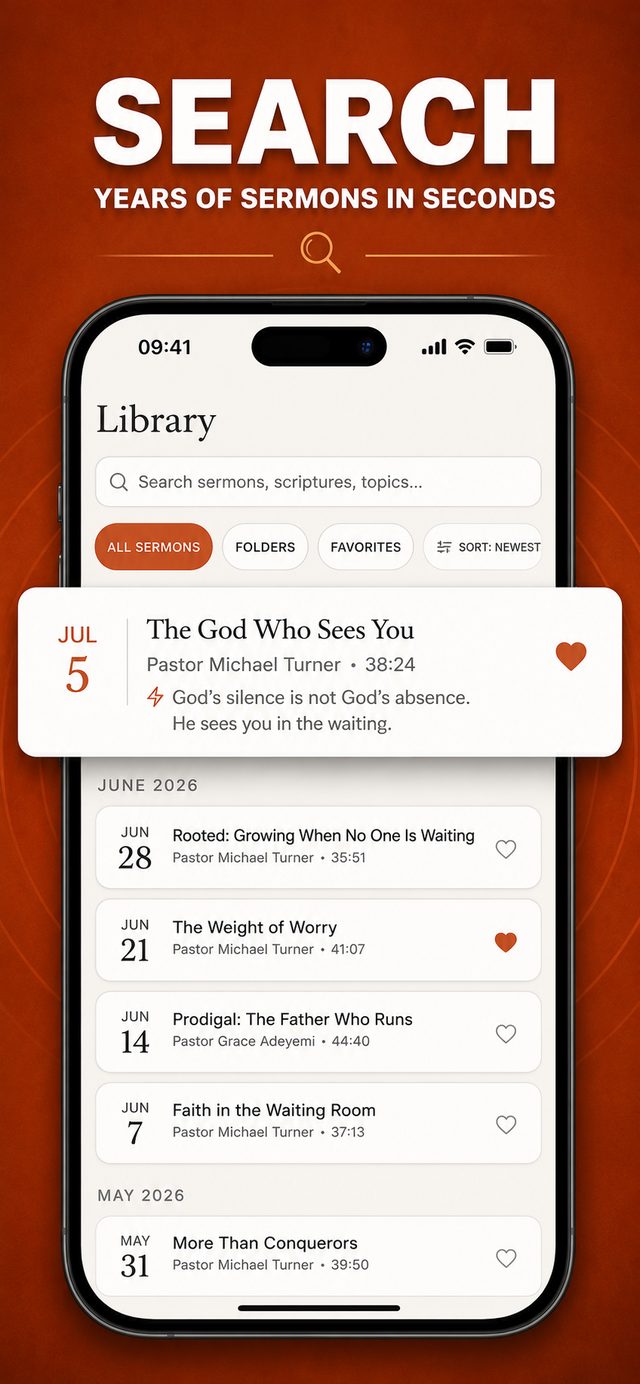
Common questions
Are folders or tags better for sermon notes?
Search beats both for most people. You will remember a phrase from a message long before you remember which folder you filed it in. A searchable store with consistent titles usually works better than a deep folder tree.
How do I keep notes from different sources together?
Store everything about one message in one place instead of spreading it across a paper journal, a notes app, and photos of the bulletin. A single entry per sermon is far easier to search and revisit.
How do I organize handwritten sermon notes?
Keep one notebook, not loose sheets, and date every entry. Leave the first two pages blank as an index you fill in as you go: date, speaker, main text, one line. If you want them searchable, photograph each page after your Sunday review and keep the photos with the rest of that sermon's notes.
How often should I tidy my notes?
A light monthly pass is enough: finish any thin entries and mark the messages worth returning to. A heavy weekly system usually gets abandoned. The less upkeep required, the longer the habit survives.
Keep reading
More guides that go with this one: digital sermon journal, how to take notes during a sermon, how to remember a sermon. Or head back to the Sunday Notes AI home page to see how the whole app fits together.