Sermon Summary Generator
If you are looking for a sermon summary generator, you probably have a message in hand already: a recording on your phone, a YouTube link someone sent you, maybe a transcript from your church's website. What you want is the heart of it, the main points and the takeaways, without spending half an hour distilling it yourself. This guide covers what a summary generator takes in, what it should hand back, and how to tell whether the output is worth keeping.
What can you feed into a sermon summary generator?
Every summary is built from text, so the real input is always a transcript. The practical question is how your sermon becomes one. There are three common starting points:
- A live recording. You pressed record in the pew. The audio gets transcribed first, then summarized. This is the path that captures your own church's message, not a broadcast version of it.
- A YouTube link. The sermon was posted online, or you missed the service entirely. A good tool takes the link, transcribes the video, and summarizes it the same way it would your own recording.
- A transcript you already have. Some churches publish sermon text. If you have it, the transcription step is done and the generator only needs to do the distilling.
One thing to check before trusting any tool: how it handles scripture. Sermons are dense with book names, chapter-and-verse references, and King James phrasing that a general-purpose transcriber can mangle. A summary built on a transcript that misheard the references starts on the wrong foot, because the verses are usually the load-bearing part of the message.
What does a sermon summary generator give you back?
A good summary is not a shorter transcript, and it is not a pile of highlighted lines. It is a distillation with a fixed shape:
- The main idea in one or two sentences: what the whole message was arguing.
- The supporting points, in the order they were preached.
- The key verses the message rested on, as references you can open and read in full.
- The takeaways: the two or three things you are meant to do about it this week.
So for a message on the prodigal son, you should get back something like: a main idea (the father's welcome, not the son's rehearsed speech, is the center of the story), three or four points in preaching order, Luke 15 plus whatever passages were brought alongside it, and the applications the preacher actually landed on. The test is simple: could you use the summary to explain the sermon to a friend who was not there? If yes, it passes. If it reads like a random handful of sentences, it does not.
Should you write the summary yourself instead?
Sometimes, yes. Writing your own summary is a genuine memory aid, because reconstructing the message forces you to engage with it. If you have solid notes and twenty quiet minutes on a Sunday evening, that time is well spent.
The catch is the dependency: a hand-written summary is only as good as the notes underneath it, and notes taken at listening speed are usually fragments. A generator works from the full transcript instead, so it can surface the point made at minute thirty-eight that you missed because you were still writing down minute thirty-five. If you are weighing how far machine-written summaries can be trusted at all, our explainer on AI sermon summaries takes that question seriously, including the places where AI has real limits.
How do you actually use the summary during the week?
The value of a summary shows up between Sundays. Almost nobody reopens a forty-minute recording or a five-thousand-word transcript, but a one-minute summary gets reread: Wednesday night before small group, or Saturday when you are trying to recall what last week's message was even about. That quick mid-week reread is one of the simplest ways to fight the fade, and it pairs well with the habits in our guide on how to remember a sermon.
The transcript still matters. It is the reference you go back to when the summary raises a question or you want the preacher's exact words. But the summary is the piece you carry.
Generate a sermon summary automatically
Sunday Notes AI works as a sermon summary generator built on the full transcript of your message. Record the sermon live or paste a YouTube link, and it produces a summary with the main points and key takeaways, drawn from everything that was said rather than the notes you managed to catch.
You read the heart of an hour-long message in about a minute, with the verses detected and the takeaways spelled out. Every summary is saved with its sermon on your device, so revisiting a message from months ago is a quick read, not a rewatch.
Get the app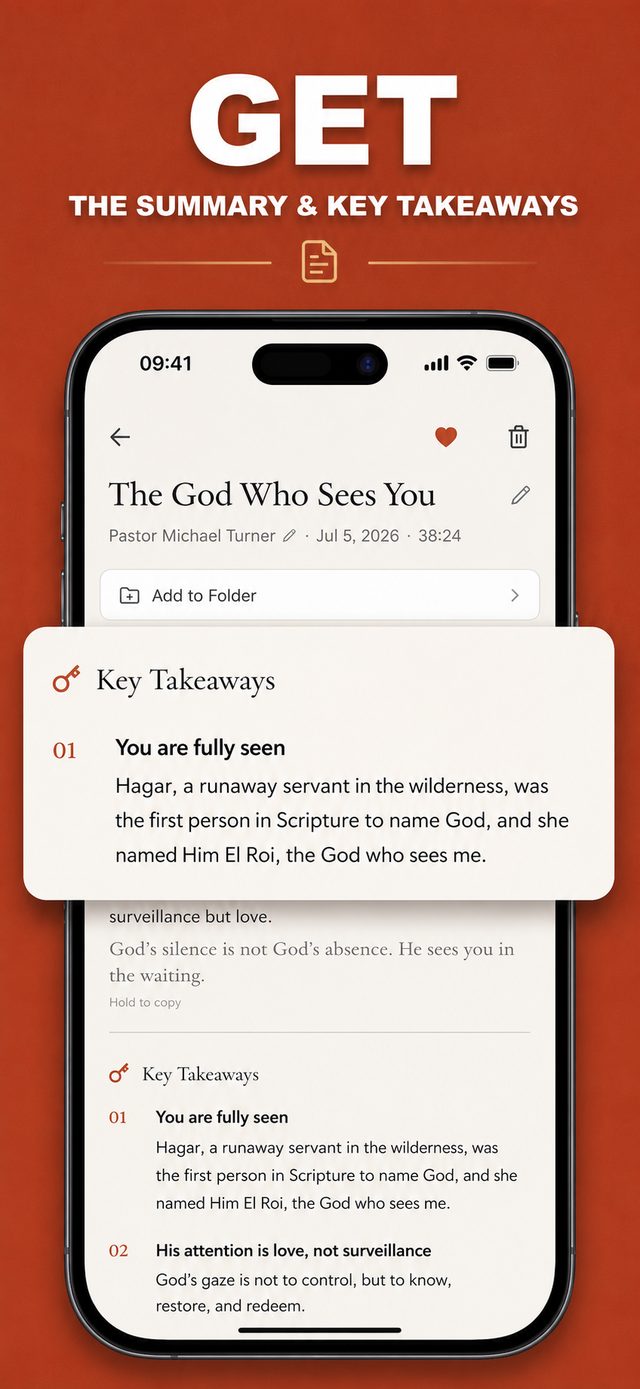
Common questions
Is a sermon summary the same as a transcript?
No. A transcript is the full text of everything said. A summary distills that into the main idea, supporting points, key verses, and takeaways. The transcript is a reference you dip into; the summary is the short piece you actually reread.
Can it summarize a sermon from a YouTube link?
Yes. As long as the message can be turned into a transcript, whether you recorded it in the room or pulled it from an online video, the summary is built from that text. You get the main points of a message you found online without watching the whole thing.
How long is a generated sermon summary?
Short by design: usually a statement of the main idea, the points in order, and a handful of takeaways. The goal is to grasp an hour-long message in about a minute, so brevity is the feature, not a limitation.
Can I trust an automatic summary?
Treat it as a faithful map of the message, not the final authority. For anything doctrinal or personal, go back to the transcript and the verses themselves. The summary is a fast way in, not a replacement for the source.
Keep reading
If your starting point is audio that is not text yet, begin with our guide to finding an app that transcribes sermons. Or head back to the Sunday Notes AI home page to see how the whole app fits together.